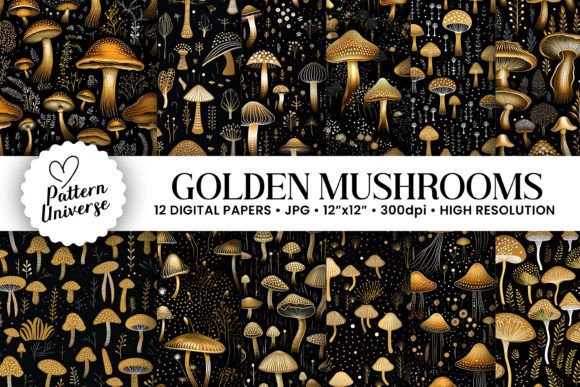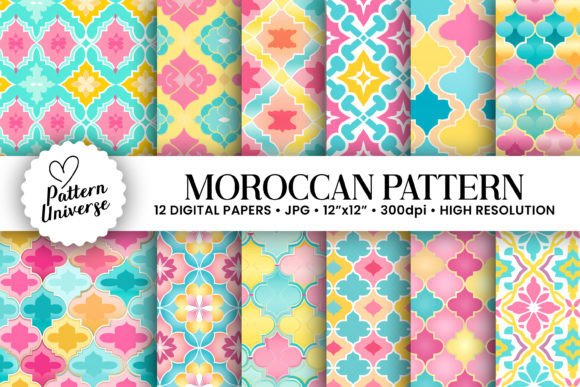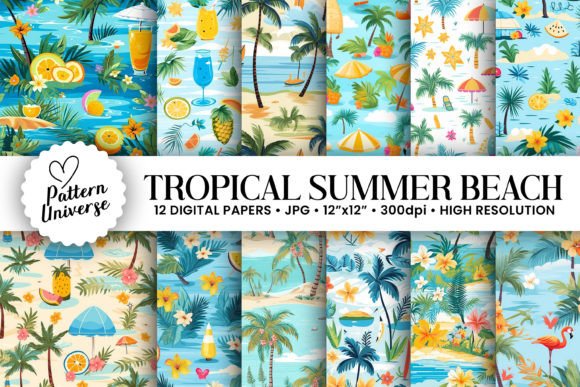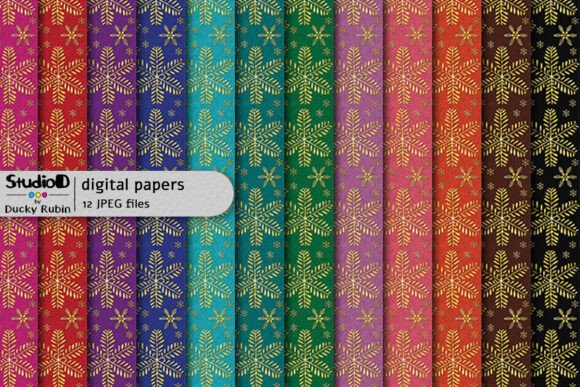
Gold Snowflakes Seamless Patterns
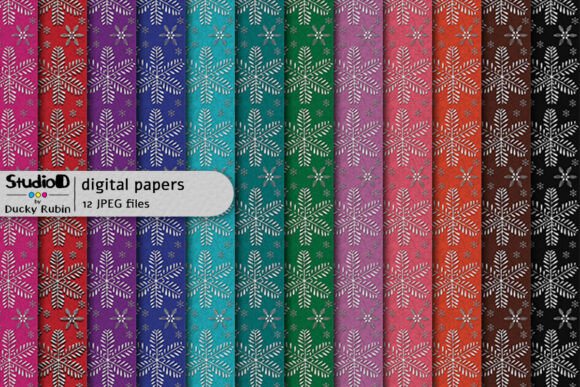
Immerse yourself in the holiday spirit with a collection of 12 harmonious patterns that blend festive elegance with modern vibrancy. This ensemble features exquisitely detailed golden snowflake designs, elegantly presented against vibrant and contrasting backdrops. Each pattern is meticulous in its construction, where enigmatic snowflake motifs seamlessly intertwine with lively backgrounds to create a sense of continuous movement. Whether you are a seasoned graphic designer or a small business owner launching a seasonal campaign, these digital assets offer a dash of festive magic that elevates any creative project.
However, acquiring high-quality seamless textures is only half the battle. Many creators overlook critical details regarding color accuracy and file specifications, leading to frustrating results when moving from screen to print. To ensure your work remains professional and visually stunning, it is essential to understand the nuances of Gold Snowflakes Seamless Patterns before downloading or purchasing them.
Understanding the Technical Specifications
The foundation of a successful design lies in the file integrity. You will receive 12 JPEG files, each sized at 12 x 12 inches with a resolution of 3600 x 3600 pixels at 300 DPI. These specifications are RGB color profiles, which are optimized for digital displays and standard printing workflows. While this resolution ensures sharpness for large-format prints like banners, posters, or packaging, it is crucial to recognize that these are not vector files. Unlike scalable vectors, rasters have a fixed pixel count, meaning they cannot be infinitely enlarged without losing quality.
A common mistake beginners make is assuming that "300 DPI" guarantees perfect results on every material. In reality, the physical output depends heavily on the substrate. When printed on glossy paper, the colors may appear vibrant and true. Conversely, if applied to a matte or textured surface, the light reflection changes, altering the perceived hue. Understanding these limitations prevents the disappointment of a print job that looks different than the preview on your monitor.
Navigating Color Discrepancies
One of the most frequent sources of dissatisfaction in digital design projects is the variance between screen and print. Colors may look different on various screens due to differences in calibration, brightness settings, and display technology. A rich gold that glows beautifully on an OLED screen might appear slightly duller or shifted in tone when transferred to a printer.
Black and shades of gray may sometimes print a little cooler blues or warmer browns for the same reasons. This phenomenon occurs because different materials reflect colors based on their properties, such as shine, absorption, and absorption capacity. If you are designing a wedding invitation or a luxury gift box, relying solely on your computer screen can lead to a mismatched final product. The metallic sheen of the gold snowflakes, which is digitally simulated, may not capture the actual foil stamping effect unless you specifically order a foil-print service.
Practical Steps to Avoid Color Errors
- Request Physical Proofs: Before committing to a full run, always ask for a single-page proof on the actual material you intend to use. This allows you to see how the texture absorbs ink and how the gold interacts with the background.
- Understand Your Printer: Communicate with your printing provider about the specific profile of their machines. Some printers require CMYK conversion, while others handle RGB natively. Sending an RGB file to a CMYK-only press without conversion can result in muted colors.
- Adjust for Texture: If your design will be applied to a rough fabric or uncoated paper, anticipate that the fine details of the snowflake pattern might soften. You may need to increase the contrast slightly in your editing software to compensate for this absorption.
Selecting the Right Pattern for Your Project
With 12 distinct options available, the challenge often shifts from finding a pattern to choosing the right one. Not every colorful backdrop complements every type of content. For instance, a highly saturated red background might overpower text on a promotional flyer, making it difficult for customers to read the message. Conversely, a subtle pastel background might lack the impact needed for a bold holiday sale announcement.
Professionals often make the error of selecting a pattern based solely on aesthetic appeal without considering the functional hierarchy of the design. When using Gold Snowflakes Seamless Patterns, ensure that the contrast between the foreground elements (like text or logos) and the background is sufficient. If the snowflake details are too intricate, they can create visual noise that distracts from your primary call to action.
Evaluating Usability and Efficiency
Efficiency is key for entrepreneurs and freelancers working under tight deadlines. Using pre-made seamless patterns saves hours of manual drawing, but improper usage can waste time during the editing phase. For example, trying to tile a non-seamless image will result in visible grid lines that ruin the professional look of a website header or a wrapping paper design.
To avoid this, verify that the pattern is truly seamless by checking the edges in your design software. The best approach is to place the image on a canvas larger than the pattern itself and check if the top edge matches perfectly with the bottom edge, and the left with the right. If there is a break in the line, the pattern is not ready for large-scale application. Always test the tiling function before applying it to a final layout.
Maximizing Value for Creators and Consumers
Whether you are a blogger creating holiday-themed blog graphics, an educator preparing festive classroom materials, or a consumer looking for DIY craft ideas, the versatility of these patterns is significant. They are perfect for social media posts, email newsletters, scrapbooking, and even textile printing.
However, consumers often underestimate the importance of file formats. While JPEGs are widely compatible and easy to share, they are lossy compression formats. If you plan to edit the image extensively, such as removing parts of the snowflake or adjusting the color balance significantly, consider converting the file to a format that supports layers, like PSD, if available. If you must stick with JPEGs, keep a backup of the original high-resolution file and work on a copy to prevent degradation from repeated saving.
For marketers, the strategic placement of these patterns can enhance brand recognition. Consistency is vital; using the same gold snowflake motif across all holiday communications creates a cohesive brand identity. However, avoid overusing the pattern. A busy background can fatigue the viewer's eye. Use the patterns strategically as accents or borders rather than covering the entire page, allowing the white space to let the design breathe.
Making the Final Decision
Before finalizing your purchase or download, take a moment to evaluate your specific needs. Do you require the patterns for digital-only use? Then the RGB color profile is ideal. Are you planning a large-scale print run? Ensure you have a plan for color correction and material testing. By understanding the technical constraints and artistic possibilities of Gold Snowflakes Seamless Patterns, you can avoid common pitfalls and produce work that truly shines.
Remember that the goal is not just to have a pretty image, but to communicate effectively. A well-chosen pattern enhances your message, while a poorly chosen one obscures it. With the right preparation and attention to detail, this collection of 12 harmonious patterns will become a staple in your creative toolkit, infusing your work with festive magic and professional polish.